How to upload website content to ChatGPT
Learn how to upload website content to ChatGPT to generate human-like text based on the scraped content of your website.
Sometimes, you want to download website content and use it as CustomGTP knowledge base. You don’t need any technical knowledge in order to do that. Here are the basic steps to build a simple chatbot with any website.
Download website content
- First, go to WebcrawlerAPI Dashboard Start new crawl job.
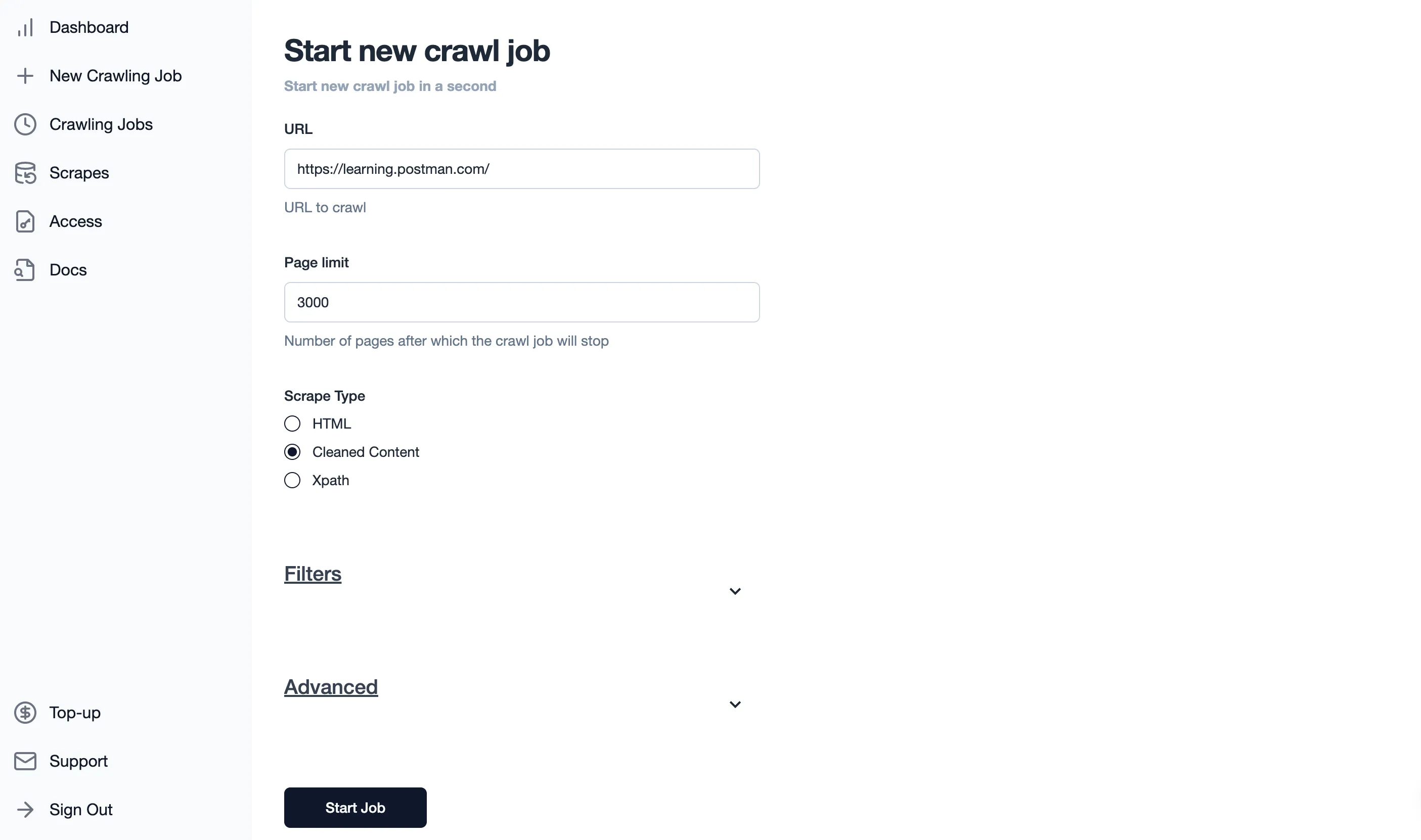
- Paste your website URL, set the webpage limit and choose the “cleaned content” option (Read more about what is “cleaned content” option here.
Here is the setup with (Postman Learning Center)[https://learning.postman.com/] as an example:
-
Wait until all pages are crawled. This can take from a couple of seconds to several minutes, depending on the website page number.
-
When job status is
doneyou will see the “Download button”. Tap the “Cleaned CSV” option and wait until your file is prepared.
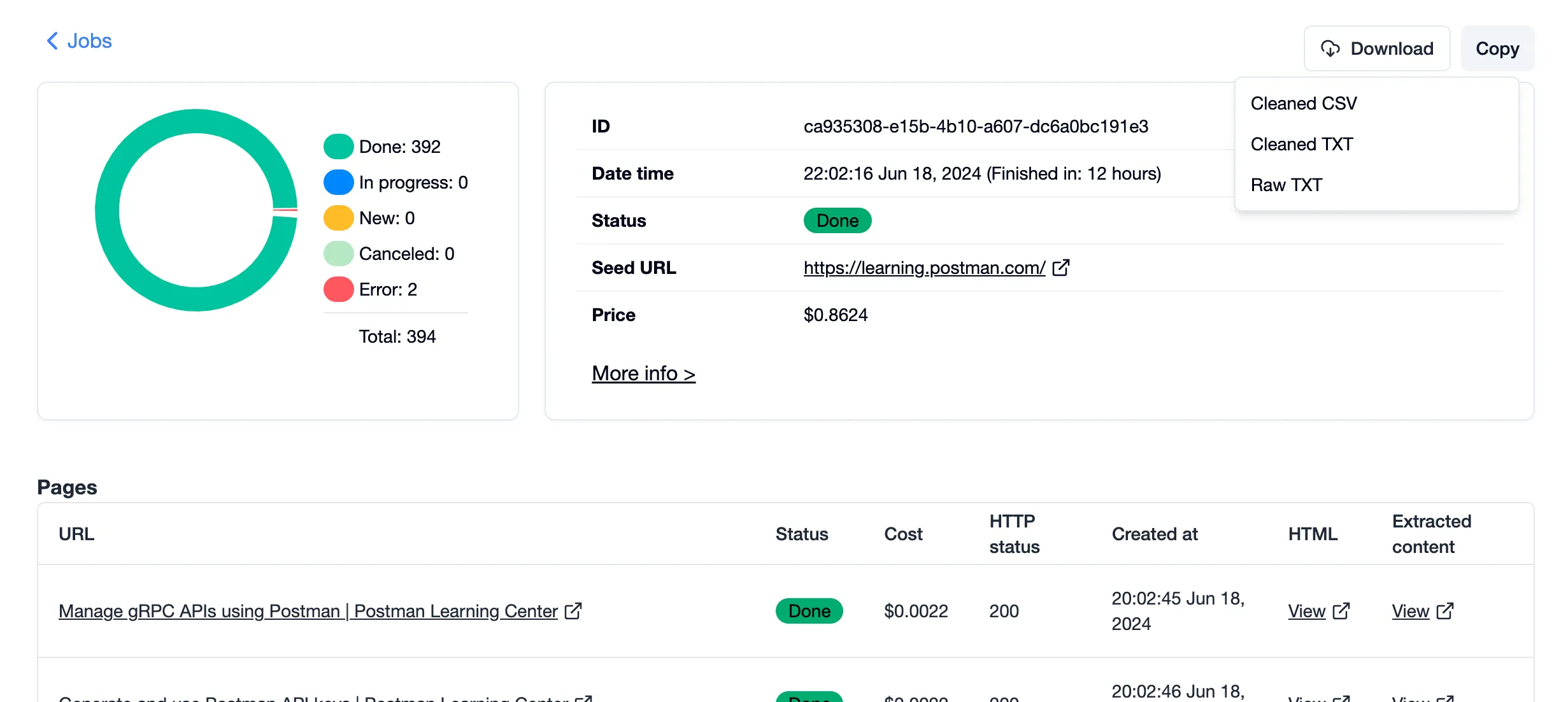
You will see the download icon once it is ready.
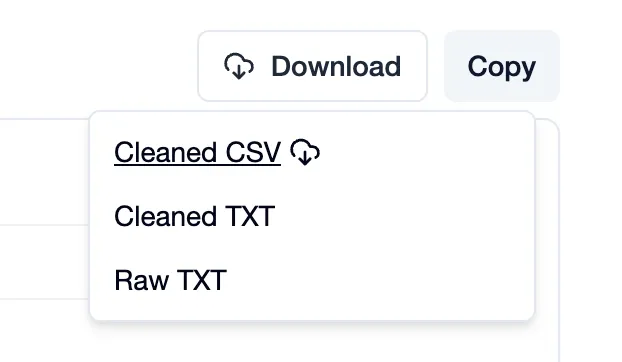
Tap it to save the file locally with the website content.
Add website content to CustomGTP
- Go to New GPT.
- Write the name and description of your website chatbot.
- Tap “Upload” and choose the file with website-crawled content.
- Write “Instructions”, mentioning that GPT should search the knowledge base when answering (make sure the “Code Interpreter & Data Analysis” option is enabled).
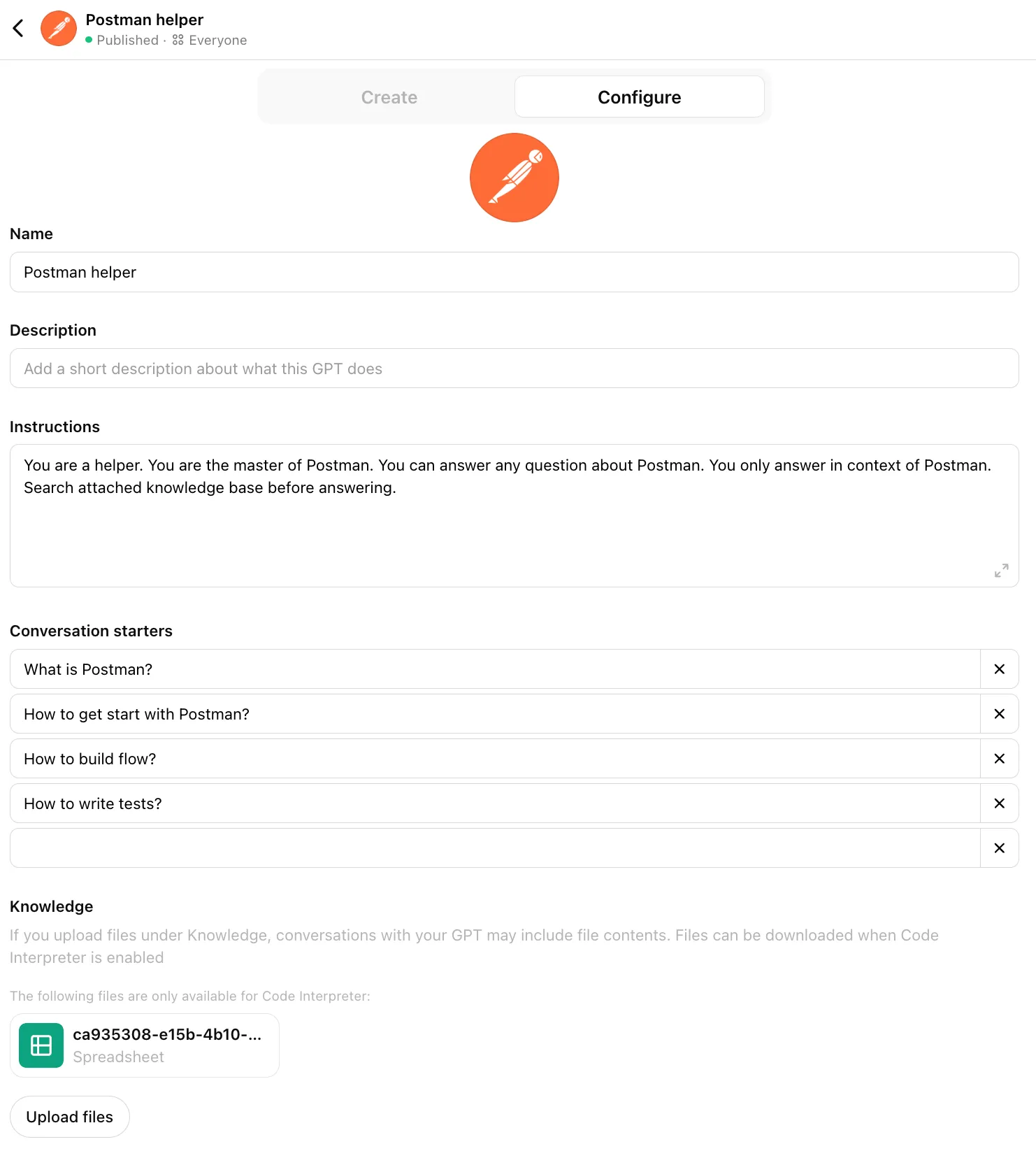
- Tap the “Create” button.
That is it. You can now use this CustomGPT, and it will try to answer first using the crawled content you’ve attached.